
Every employee's file in order, from their first day to their last.
HR keeps the whole employee file in one place: onboarding, contracts, leave, documents with their expiry dates, notices and terminations. Employees use the Staff app on their own phone to ask for leave, upload documents and read notices, so HR stops chasing paper. Coming next: an AI HR consultant that advises on discipline, reviews your contracts and builds your CCMA pack.
Where HR usually gets stuck
Four things that come up in businesses without an HR system.
The employee file is a folder, a drive and an inbox
The contract is in a cabinet, the ID copy in someone's email, the warning letter on a shared drive. Finding everything about one person takes an afternoon.
A permit or licence expires and nobody notices
A work permit, a driver's licence or a medical certificate runs out, and you find out when an inspector or an insurer asks.
Leave arrives on paper and WhatsApp
Requests reach the wrong person, approvals aren't recorded, and the sick-note rules are applied from memory.
A resignation turns into a scramble
Working out the notice period, the last working day, the UIF reason, the exit tasks and the certificate of service, each from scratch.
One file per employee, and the work around it
The same four, handled.
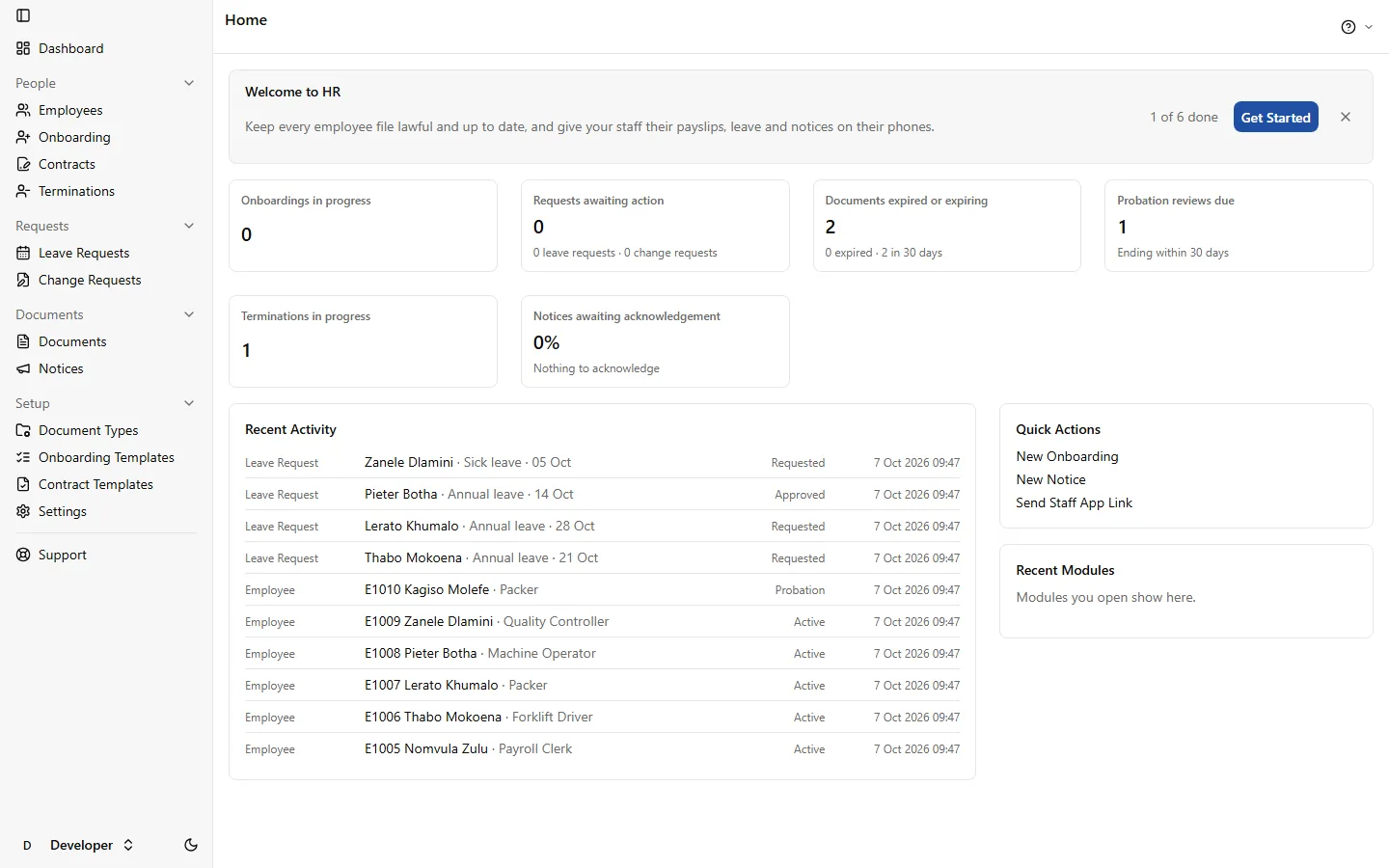
Everything about a person on one screen
Personal details from BOS, employment, probation, next of kin, qualifications, job history, contracts, documents and leave, each with its history. Medical and employment-equity details are encrypted and seen only by people with the right.
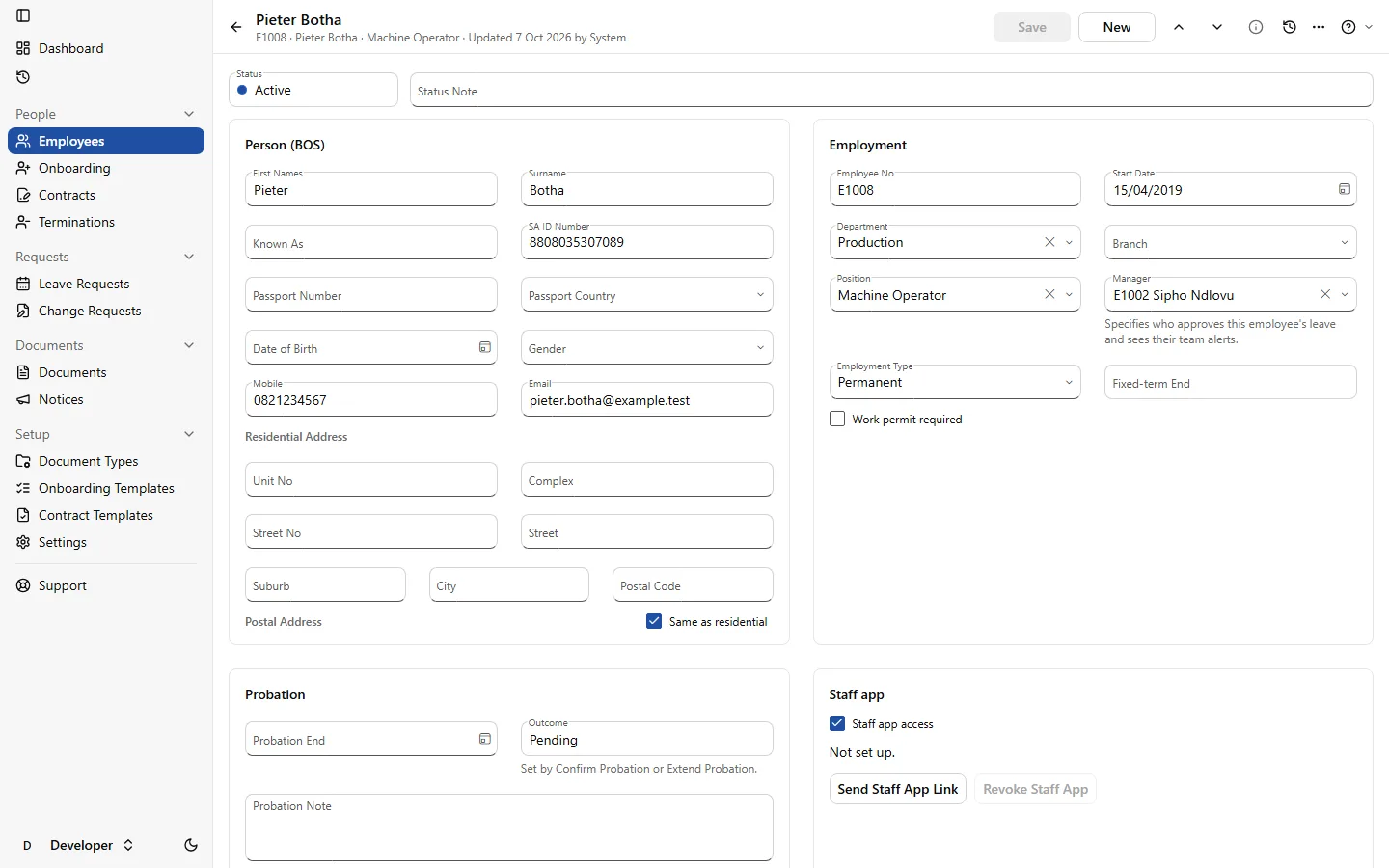
Expiry dates that warn you first
Each document type knows whether it expires and how far ahead to remind. HR and the employee are reminded before the date, and the Home screen shows what has expired.
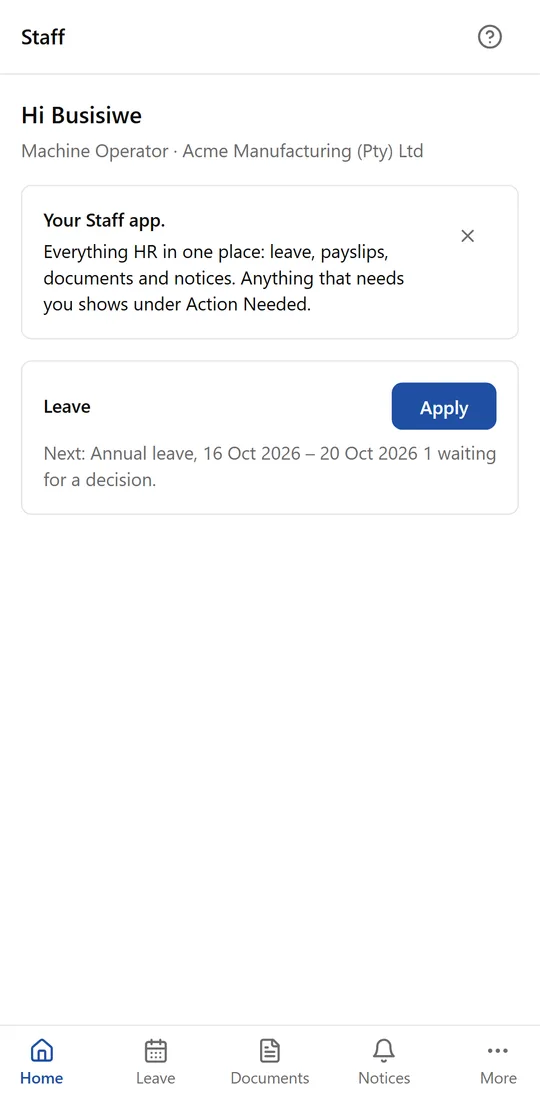
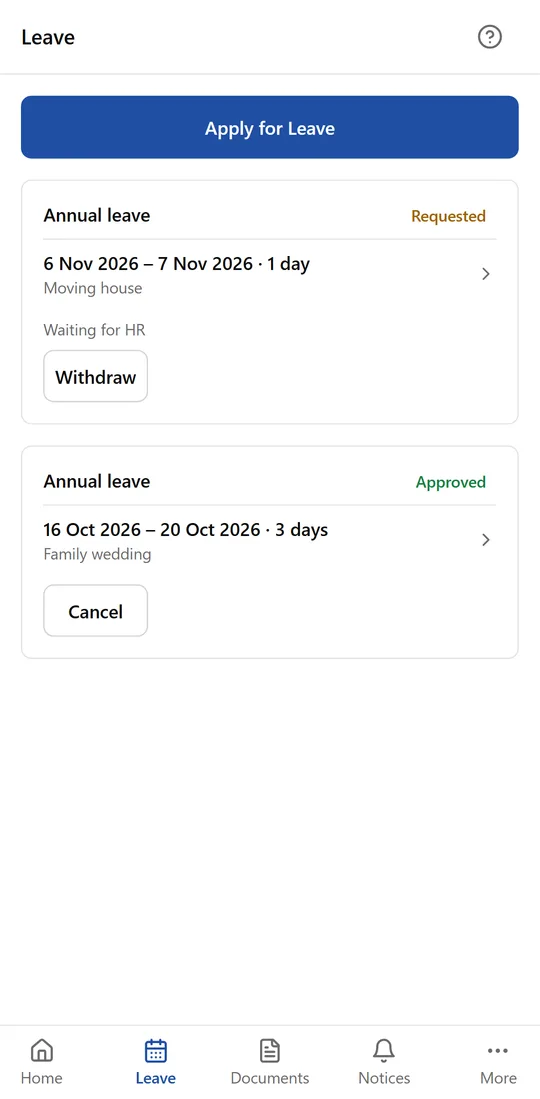
Leave in the Staff app, approved by the right person
Employees ask on their phone, their manager approves, and the BCEA sick-note rule is checked as they go. Approved leave is listed for payroll to capture.
Terminations worked out for you
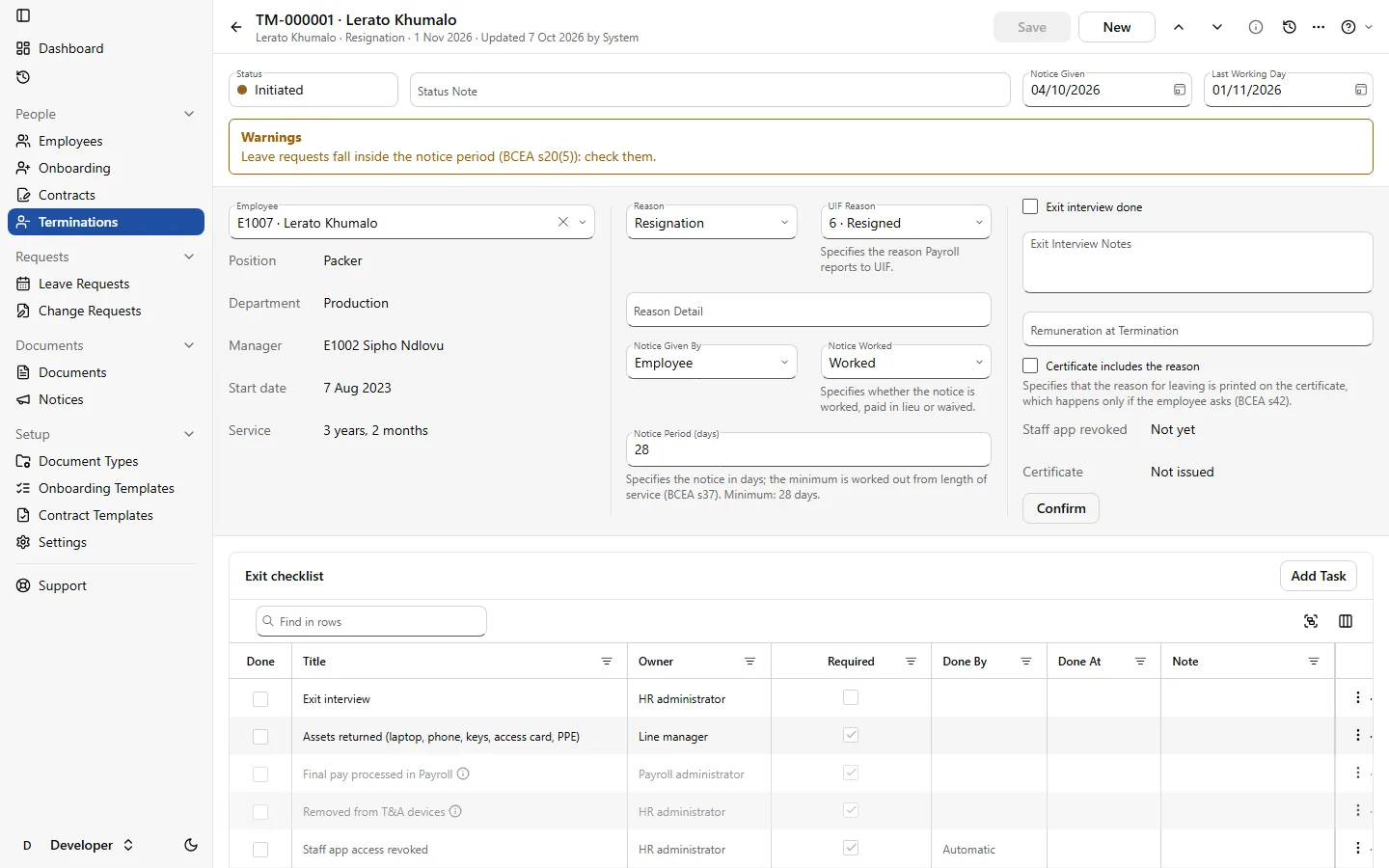
The section 37 minimum notice from your Settings, the last working day, the UIF reason, an exit checklist, open leave dealt with, and the certificate of service.
See it working
Real screens from HR, running the same made-up packhouse as the Payroll pages.
The employee file
One record per person: their BOS details, employment and probation, and everything HR keeps beside them.
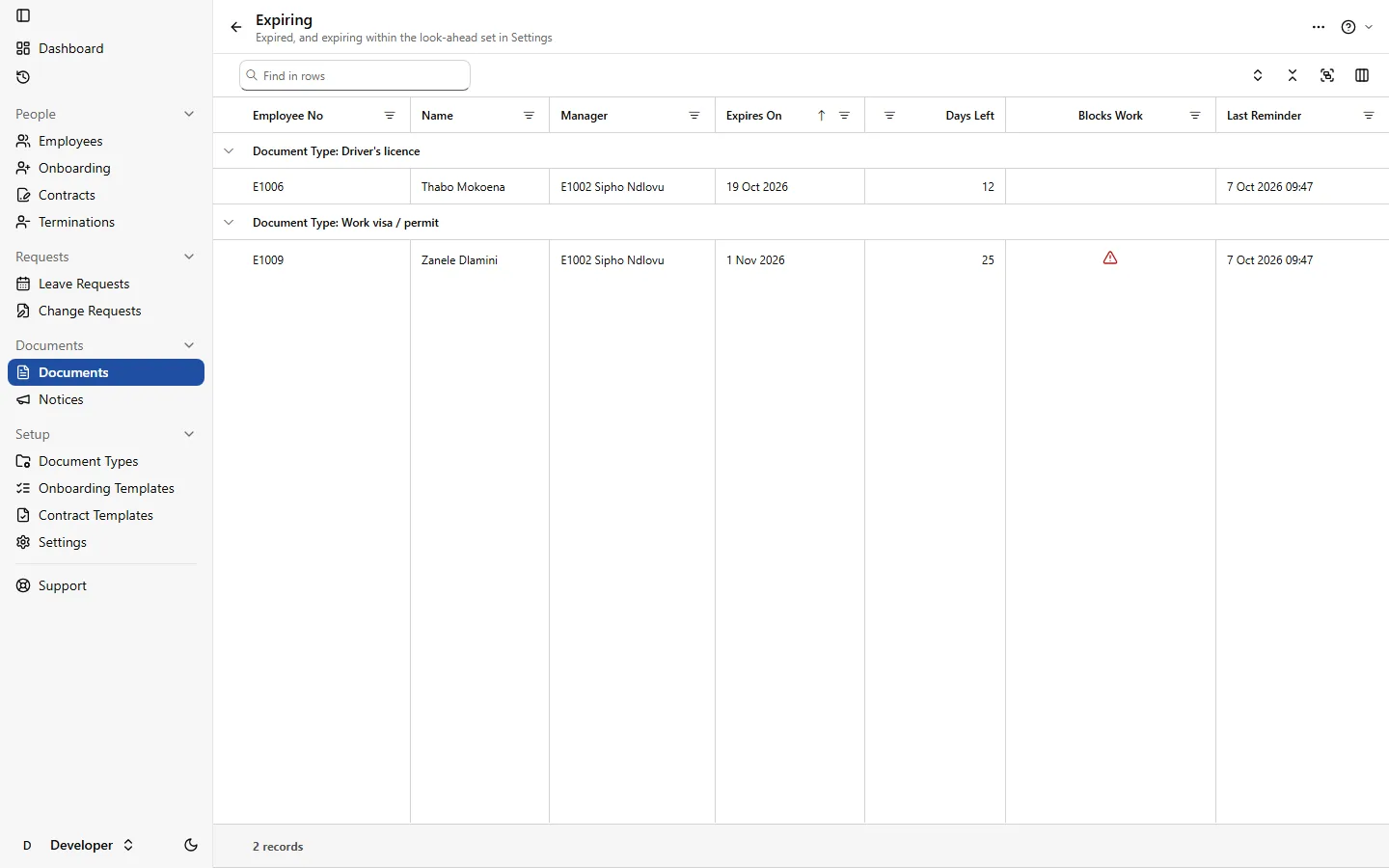
Documents before they expire
Expiring and expired documents in one list, so a licence or permit is renewed in time.
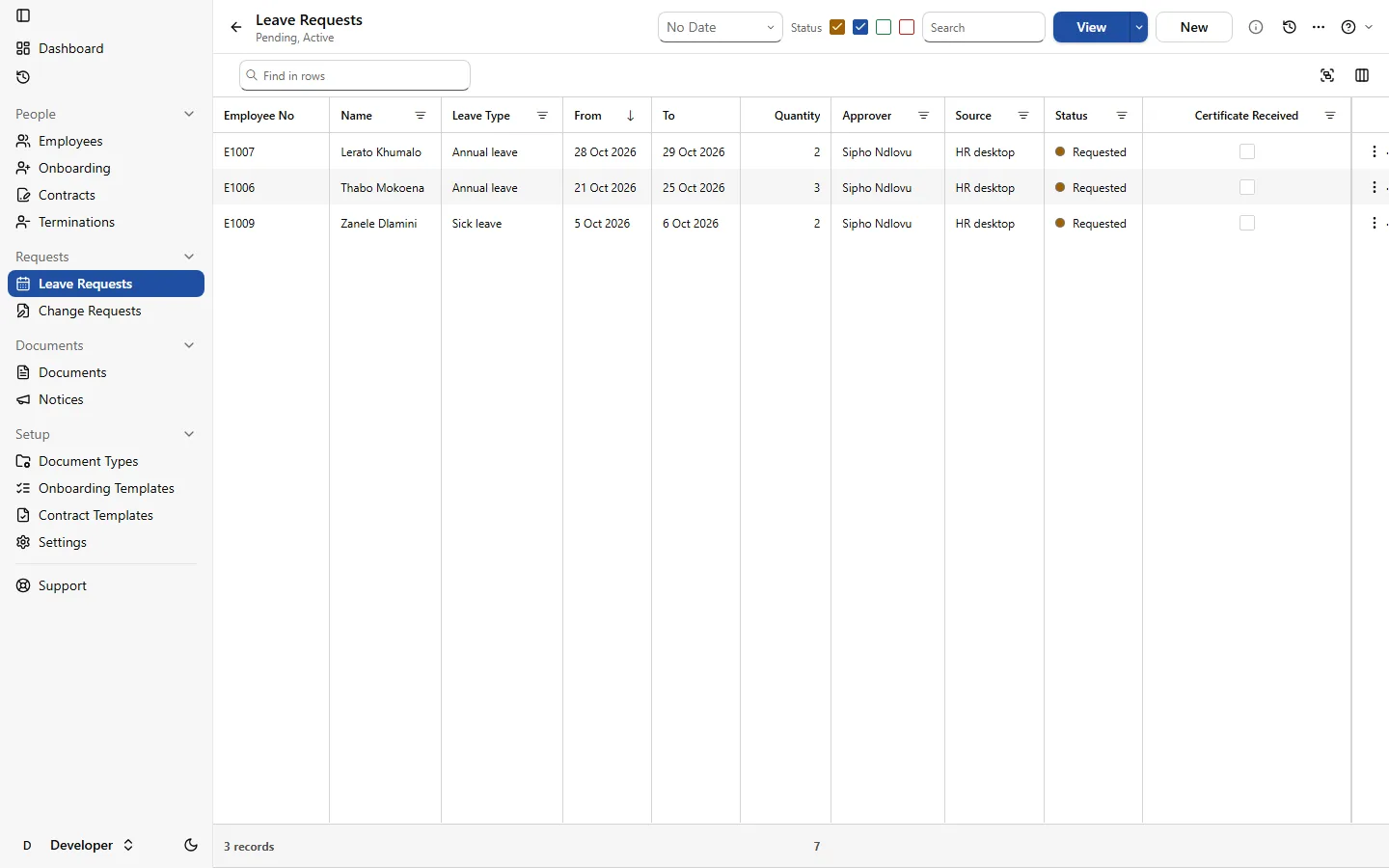
Leave requests in one place
Requests from the Staff app and from HR, with where each one stands.
A termination, worked out
The notice period, the last working day and the UIF reason, with the exit checklist beside them.
Everything HR does
Phase 1: the employee file and the Staff app.
Employees and onboarding
- New starters set up from an onboarding checklist, with tasks that tick themselves
- Probation tracked, confirmed or extended with a reason
- Link the staff you already have in BOS in one step
Contracts
- Contracts from your own templates, with the employee's details filled in
- Signed on screen, and an amendment replaces the contract it changes
- A printable copy of every signed version
- Review Contract: every clause checked against the BCEA and LRA
Leave and change requests
- Leave asked for in the Staff app or by HR, approved by the employee's manager
- BCEA sick-note thresholds and the shared parental leave pool checked
- Employees ask for changes to their details; HR approves before they apply
Documents
- Document types with expiry, reminder lead times and who provides them
- Employees upload with the phone camera; HR verifies or rejects with a reason
- Renewals requested with the old document kept in the history
Notices
- Notices published to everyone, a department or chosen people
- Acknowledgement tracked, with reminders to those who haven't
Terminations
- The BCEA section 37 minimum notice from your own Settings
- The UIF reason and an exit checklist per termination
- The certificate of service (BCEA section 42) kept on the file
Discipline done right the first time, with a consultant on call
Press Advise, describe what happened in your own words, and get the steps the 2025 Dismissal Code expects: what kind of matter it is, what to do today, the procedure for a business your size, the allegation worded for your disciplinary code, and the sanctions your code allows. It knows the employee's active warnings, their length of service, and how you handled the same offence before.
- Cases, hearings, and a warnings register that expires warnings by itself
- Notices of hearing and outcome letters drafted, then sent and signed in the Staff app
- Build pack: tick what to include and get one PDF for the hearing or the CCMA, indexed, in date order, every page numbered
- Gaps flagged before you go: no proof the notice was received, no minutes, a warning that had already expired
- The 30-day CCMA referral window tracked from the dismissal date
Advise gives guidance with its sources, not legal advice, and never decides a sanction: you and your chairperson do. Names and ID numbers are replaced before anything reaches the AI.
- Case chronology (included)
- Allegations and your disciplinary code (included)
- Notice of hearing, with proof of delivery (included)
- Hearing minutes and outcome letter (included)
- Evidence and witness statements (included)
- Signed contract and policies acknowledged (included)
- Active warnings (included)
- ID copy only if identity is in dispute (left out)
- Expired warnings (left out)
1 gap: no proof the notice of hearing reached the employee
Know your contract would stand up before anyone signs it
A contract can carry every heading the BCEA asks for and still hold a clause the CCMA would throw out. Press Review Contract and every clause is checked against the BCEA, the LRA and recent case law, with the section behind each finding and wording you can apply.
- Catches blanket deduction consents, forfeited leave, contracts that end themselves and unreasonable restraints
- Hours, notice, leave and the minimum wage checked against the contract's own figures
- Review your template once; each employee's contract then checks only what changed
- Every finding closed as fixed, accepted with a reason, or not applicable, and kept with the contract
- The checklist is kept current as the law changes, like the SARS rates in Payroll
Clause 9.2: “The employee consents to any amount owed to the company being deducted from their salary.”
A deduction needs written consent for a specific debt.
BCEA s34
Clause 14: “This contract ends automatically if the client cancels the site contract.”
An automatic end skips a fair dismissal process.
LRA s186 · SA Post Office v Mampeule
Clause 17: a 36-month restraint anywhere in South Africa, for a packer.
Name the interest it protects and scale it to the role.
Restraint of trade · Backsports v Motlhanke (LAC 2025)
Know who can do what, and where one resignation would hurt
List the processes and skills your business runs on, and what each position needs. HR shows who can do each one, who is still learning, and whose licence or certificate is about to lapse.
- Who can do it? Pick a task and a day, and see who is competent and not on leave or off shift
- Thin skills flagged: nobody covers it, or only one person can
- When someone resigns, the skills leaving with them, and a handover to plan before their last day
- A skill profile per position, for gaps, promotions and the next job advert
- Signed off by someone who saw the work, an assessment or a certificate, with the history kept for audits
| Employee | Forklift licence | Cold-room stock count | Packing line set-up | First aid | Pallet labelling |
|---|---|---|---|---|---|
| Thandi | 4expert | 3competent | 0not trained | 3competent | 2with supervision |
| Pieter | 3competent | 2with supervision | 0not trained | 1in training | 3competent |
| Nomsa | 1in training | 4expert | 4expert | 0not trained | 3competent |
| Sipho | 0not trained | 3competent | 1in training | 3competent | 0not trained |
| Ayesha | 3competent | 0not trained | 0not trained | 2with supervision | 1in training |
| Competent | 3 | 3 | 1 · only Nomsa | 2 · one expires in 3 weeks | 2 |
Training that closes the gaps, and a WSP built from what you recorded
Gaps in the matrix become training needs. Book the course, take attendance in the Staff app, and a passed assessment updates the matrix and files the certificate with its expiry date. At year end, the Workplace Skills Plan and Annual Training Report come from the same records.
Training needs and courses
Needs come from skill gaps, expiring certificates, resignation handovers and staff requests. Courses keep the provider's SETA or QCTO accreditation, the NQF level, the credits and the cost.
WSP and ATR for your SETA
Planned and completed training by OFO occupation, with the employment-equity breakdown your SETA asks for, and a reminder ahead of your SETA's deadline so the mandatory grant isn't missed.
Skills spend for B-BBEE
Spend per learner and programme against the skills development targets, beside the skills levy from Payroll. Learnerships kept with their SETA registration and dates.
HR in every employee's pocket
The Staff app opens from a link on the employee's own phone and signs in with a passkey: the phone's fingerprint, face or PIN. Nothing to install from an app store, no password to forget, and nothing about their fingerprint or face is sent to us. Each employee sees only their own records.
- Leave: ask, see where it stands, cancel
- Documents: upload with the camera, see what's due
- Notices: read and acknowledge
- My details: ask HR for a change
- Skills: ask to be trained, certified or signed off
Works on its own. Better together.
HR runs on its own, and its staff list is the one in your BOS database, so adding another app types nobody in twice.
- Add Payroll: approved leave and terminations reach the pay run
- Add Time & Attendance: absences and lateness from real clock-ins, ready to open as a case
R450 a month
covers your first 10 employees
+ R40 a month for each employee after that
Priced per employee per month, not per payslip, so weekly staff cost the same as monthly staff.
Book a demoBuilt and supported by engineers you can reach
The HR Suite is built and run by Vibe Crafted Software, a focused team of engineers in South Africa. We work directly with the businesses that use it.
See HR with your own staff
Tell us how many people you have and how you keep their files today. We'll show you how it would work for you.