
Know who's on site, and trust every hour you pay for.
Time & Attendance records every clock-in from the ZKTeco and Hikvision terminals you already have, a tablet at the door, or your staff's own phones. Supervisors fix the exceptions with a reason on record, and payroll gets reviewed hours it can rely on.
You're probably tracking attendance one of these ways
Each one leaves someone retyping hours, or arguing about them.
A register on paper, typed up at month-end
Someone copies clock cards or a signed register into a spreadsheet, then into payroll. Mistakes slip through, and there's no record of who changed what.
A clock on the wall that only one PC can read
The terminal works, but its software lives on one Windows machine at one site. Other sites, and anyone who works away from the office, are invisible until the numbers arrive.
Staff who work away from a fixed door
Guards at a customer's estate, drivers, technicians, people working from home. You find out who was where after the fact, if at all.
Clock-ins you can't fully trust
A colleague clocks in for a friend, a forgotten clock-out becomes a guess, and a dispute comes down to someone's memory against someone else's.
One record of every movement, from whichever way people clock
The same four situations, handled.
Hours come straight from the clock-ins
Every movement is stored once and never edited. Hours are worked out from each In and its Out, never guessed from the first and last punch, and a missing clock-out is flagged, not filled in.
Keep your terminals; no server on site
ZKTeco and Hikvision terminals send clock-ins straight to the app over the internet, and new staff are sent to the terminals from the app. Nothing to install, and every site shows up in one place.
Phones and tablets for everyone else
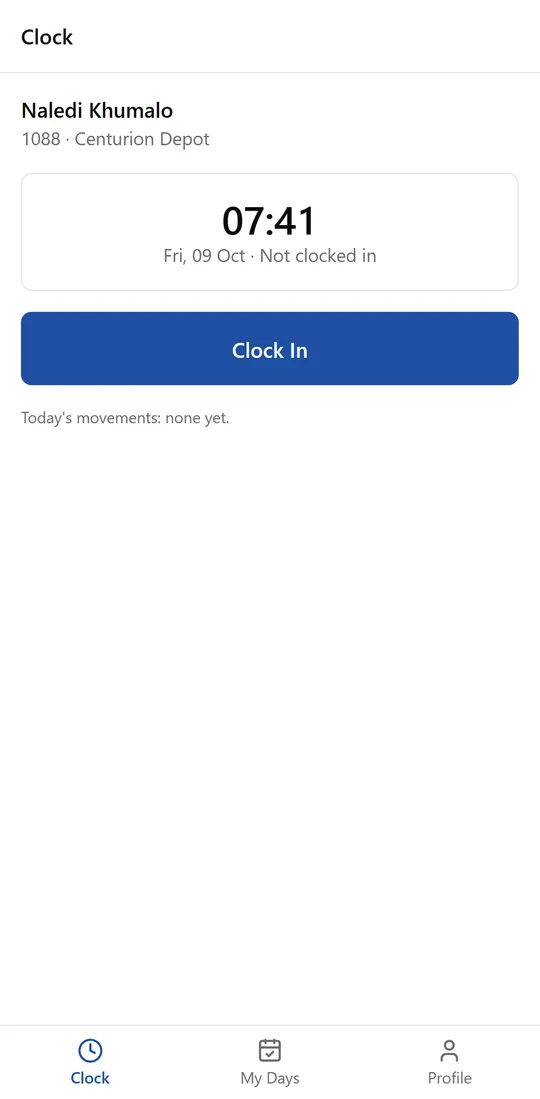
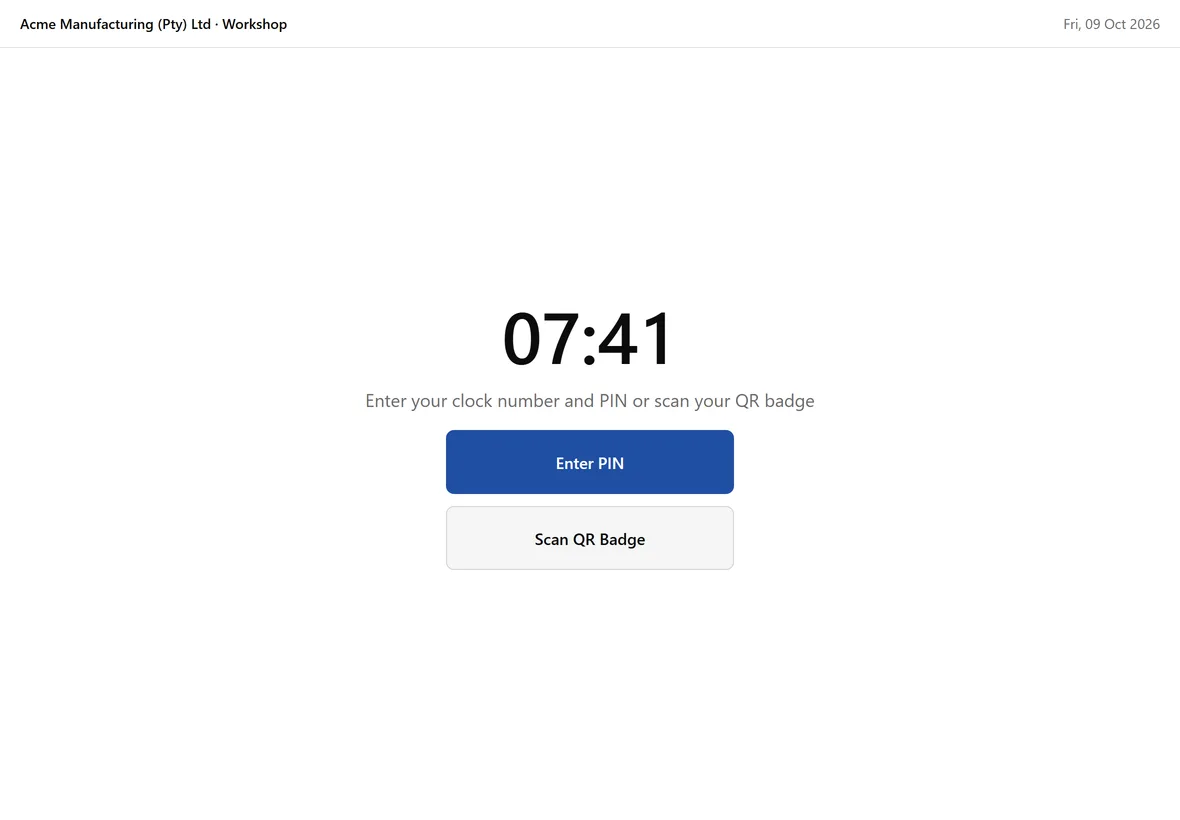
Staff clock on their own phone at the site, checked against the site's area on the map, with a selfie where you ask for one. A standard tablet by the door becomes a kiosk with a PIN or QR badge.
Corrections with a reason, not a guess
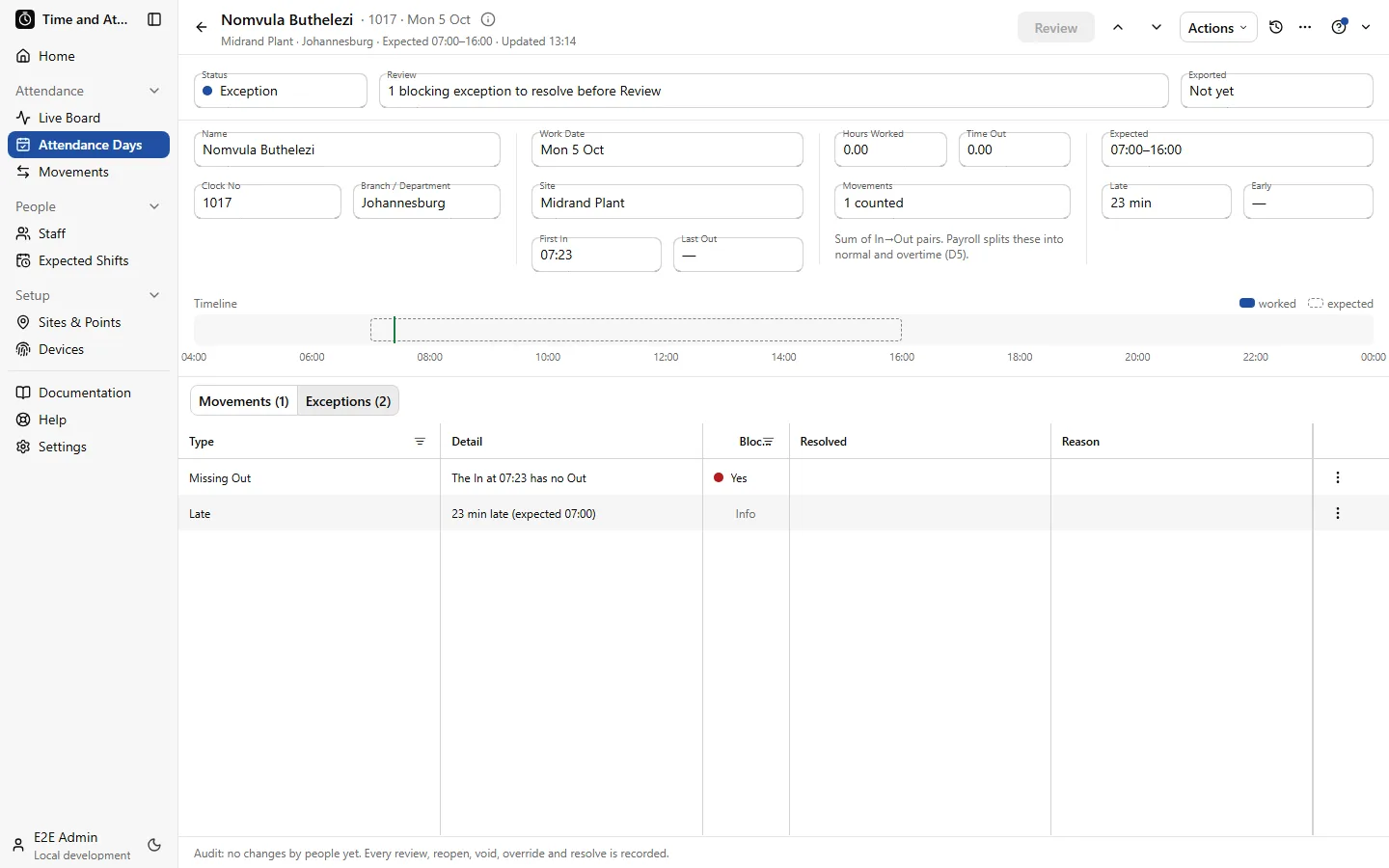
Supervisors see the exceptions: a missing clock-out, a clock-in outside the site. Each fix needs a reason, and every change is on the record. A phone asks for its owner's passkey at every clock-in, so it can't be handed to a colleague.
See it working
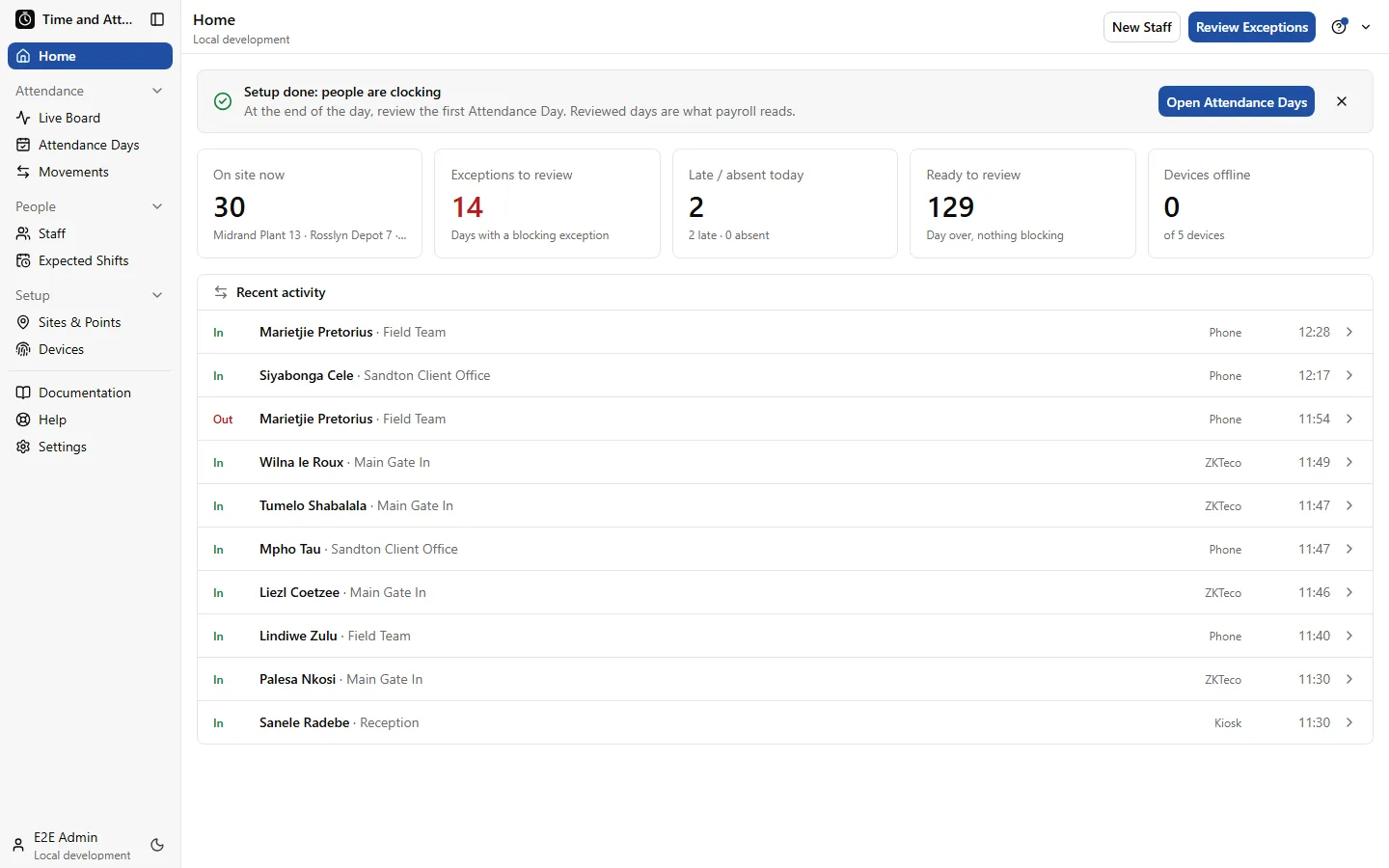
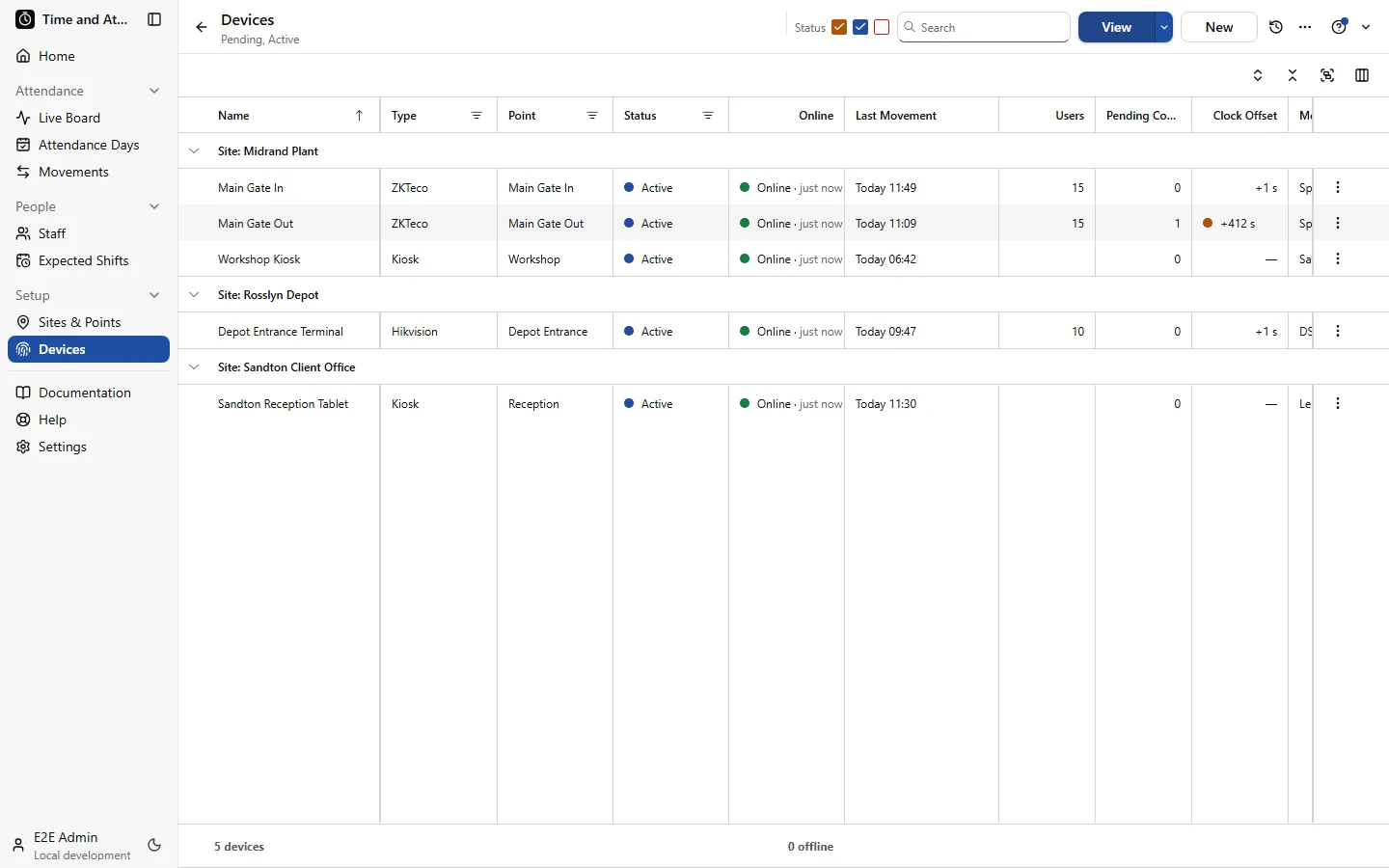
Real screens from the app, over a demo company with three sites, terminals, a kiosk and phone clocking.
Everything it does
Shown on the real screens of the demo company.
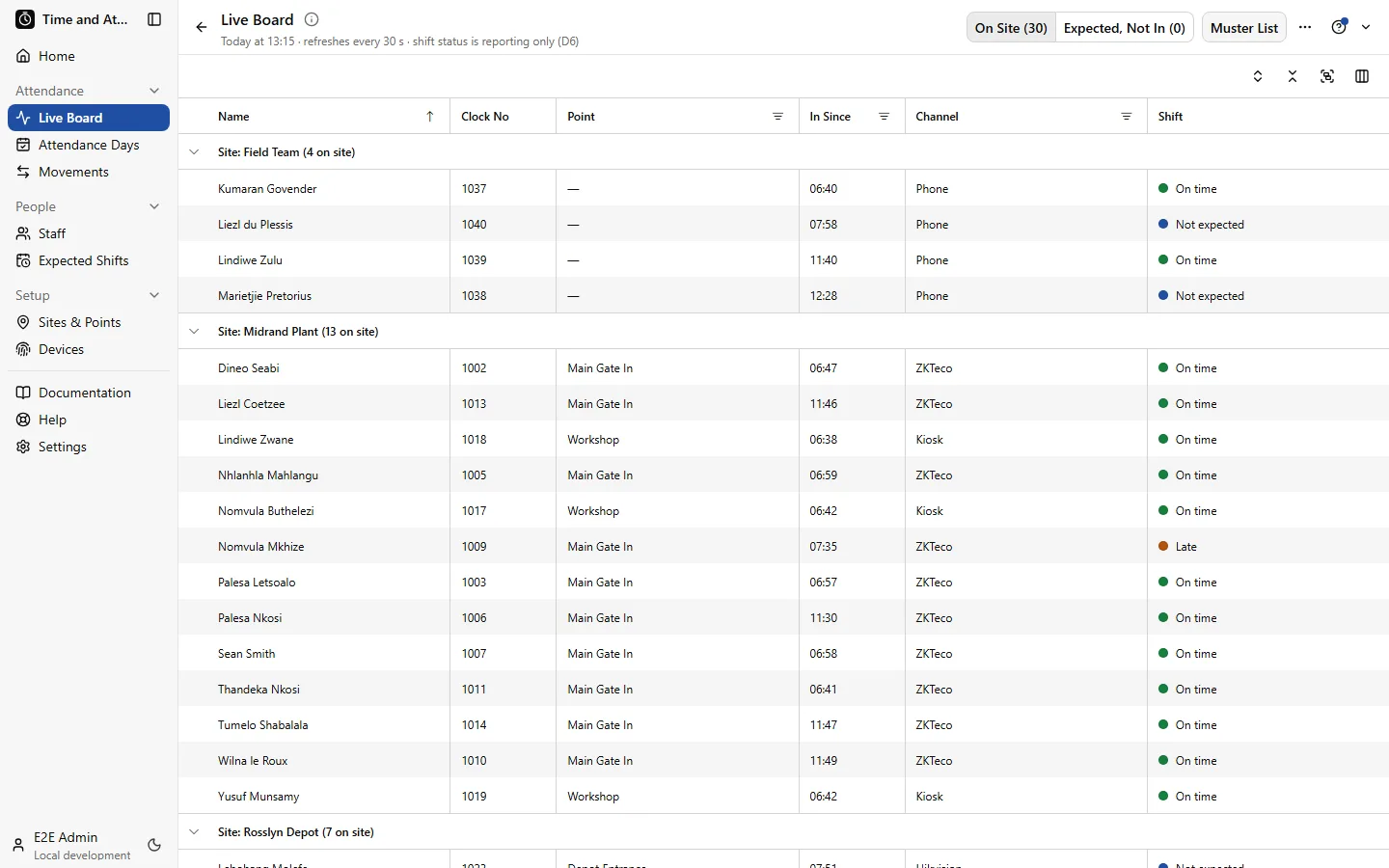
Live Board and muster list
Who is on site right now, grouped by site and entry point, refreshed every 30 seconds.
- On Site and Expected, Not In views, side by side
- A muster list for an evacuation roll call, one click away
- Supervisors see their own sites; admins see every site
Attendance Days and exceptions
One record per person per day: first in, last out, hours worked and time away, against the expected shift.
- Missing clock-outs and clock-ins outside a site's area flagged
- Every review, reopen and resolve recorded with a name
- Review a whole list at once when nothing blocks
Clock however suits the job
- ZKTeco and Hikvision terminals at gates and doors, no server on site
- Any Android tablet or iPad as a kiosk, with a PIN, QR badge or card reader
- Staff's own phones, checked against the site's map area, with a passkey
- Offline clock-ins kept and sent when the connection returns
Shifts and sites
- Weekly or rotating patterns, including 4-on-4-off
- South African public holidays built in
- Late, early and absent thresholds per pattern
- Your premises, customer sites and remote work, each with its own map area
Devices
- Every terminal and tablet with its status and last clock-in
- Staff sent to the terminals from the app, and removed when they leave
- Fingerprints and faces stay on the terminals, never copied into the app
Hours ready for payroll
- A period summary per person: days and hours worked, time out, exceptions
- Reviewed days available to payroll or BOS through an API
- Hours worked only: payroll keeps its own overtime rules
Built for South Africa
POPIA-aware biometrics
Fingerprints and faces stay on the terminals and are never copied into the app. Consent is recorded per person, withdrawing it removes their templates from every terminal, and there's always a card, PIN or phone option for people who say no.
Records kept the way the BCEA asks
Clock-ins are never edited, corrections carry a reason and a name, and records are kept for at least three years. Data is hosted in South Africa.
Keeps working when the power or signal doesn't
Terminals store clock-ins through an outage and send them when they're back. Tablets and phones queue clock-ins offline and show what's waiting.
Runs next to QuickEasy BOS
Staff are added and updated in your BOS database, so there's one staff list across the HR Suite.
Works on its own. Better together.
Time & Attendance runs on its own, and its staff list is the one in your BOS database, so adding another app types nobody in twice. Clock credentials stay in Time & Attendance.
- Add Payroll: the reviewed hours paid by your rules
- Add HR: leave, documents and every employee's file, with repeated absences ready to open as a case
R350 a month
covers your first 10 employees
+ R30 a month for each employee after that
Priced per employee per month, not per payslip, so weekly staff cost the same as monthly staff.
Book a demoBuilt and supported by engineers you can reach
The HR Suite is built and run by Vibe Crafted Software, a focused team of engineers in South Africa. We work directly with the businesses that use it.
See it with your own sites and staff
Tell us how many people, sites and clocks you have. We'll show you how it would work for you, and say honestly if it isn't the right fit.