
Every hour paid correctly. Every labour-law risk flagged before you pay.
Payroll turns your staff's clocked hours into ordinary time, overtime, Sunday and public-holiday pay using rules you set once. It calculates PAYE, UIF, SDL and ETI from SARS rates that stay current, and warns you when a pay run breaks the Basic Conditions of Employment Act, before anyone is paid.
Does your payroll week look like this?
The same four problems come up across South African businesses with shift and hourly staff.
You work out overtime by hand
The clock system exports a file. Someone then decides, line by line, which hours are ordinary, which are overtime, which fell on a Sunday or a public holiday, and who worked nights.
You find out about a breach when someone complains
More than 10 hours' overtime in a week, a shift that started without 12 hours' rest, a rate below the minimum wage. Payroll software pays it anyway and says nothing, until it turns up at the CCMA.
Weekly, weekend and monthly staff don't fit one system
Production is paid weekly, the weekend shift works two 12-hour days, and the office is paid monthly. That usually means two systems, or one system and a spreadsheet beside it.
Tax changes arrive as an update you have to install
Every March the new tax tables come as a release to download and install, sometimes after the first pay runs of the year. And nobody can show you where a rate came from.
Payroll built around how South African pay actually works
One answer to each of those problems, in the same order.
Pay rules you set once, then trust
Each pay group carries its rules: ordinary hours per day and week, overtime after 9 hours a day or 45 a week, Sunday, public holiday, night and shift allowances. Test the rules on a sample week before you run payroll.
Warnings before you approve, not after
Every pay run is checked against the BCEA: overtime caps, 12-hour daily and 36-hour weekly rest, the 4-hour minimum shift, the national minimum wage and the 25% cap on damage deductions. You fix it or acknowledge it with a reason, and the reason is kept.
Weekly, weekend-shift and monthly pay groups in one company
Each pay group has its own frequency, calendar and rules, side by side in one system, including a tax year with 53 weekly pay dates.
Tax rates that stay current, with the source attached
Tax tables, UIF, SDL, ETI, allowance rates, public holidays and the minimum wage are dated rule sets, each value with its official source. An administrator checks a new version against test cases and approves it before it applies.
See it before you buy it
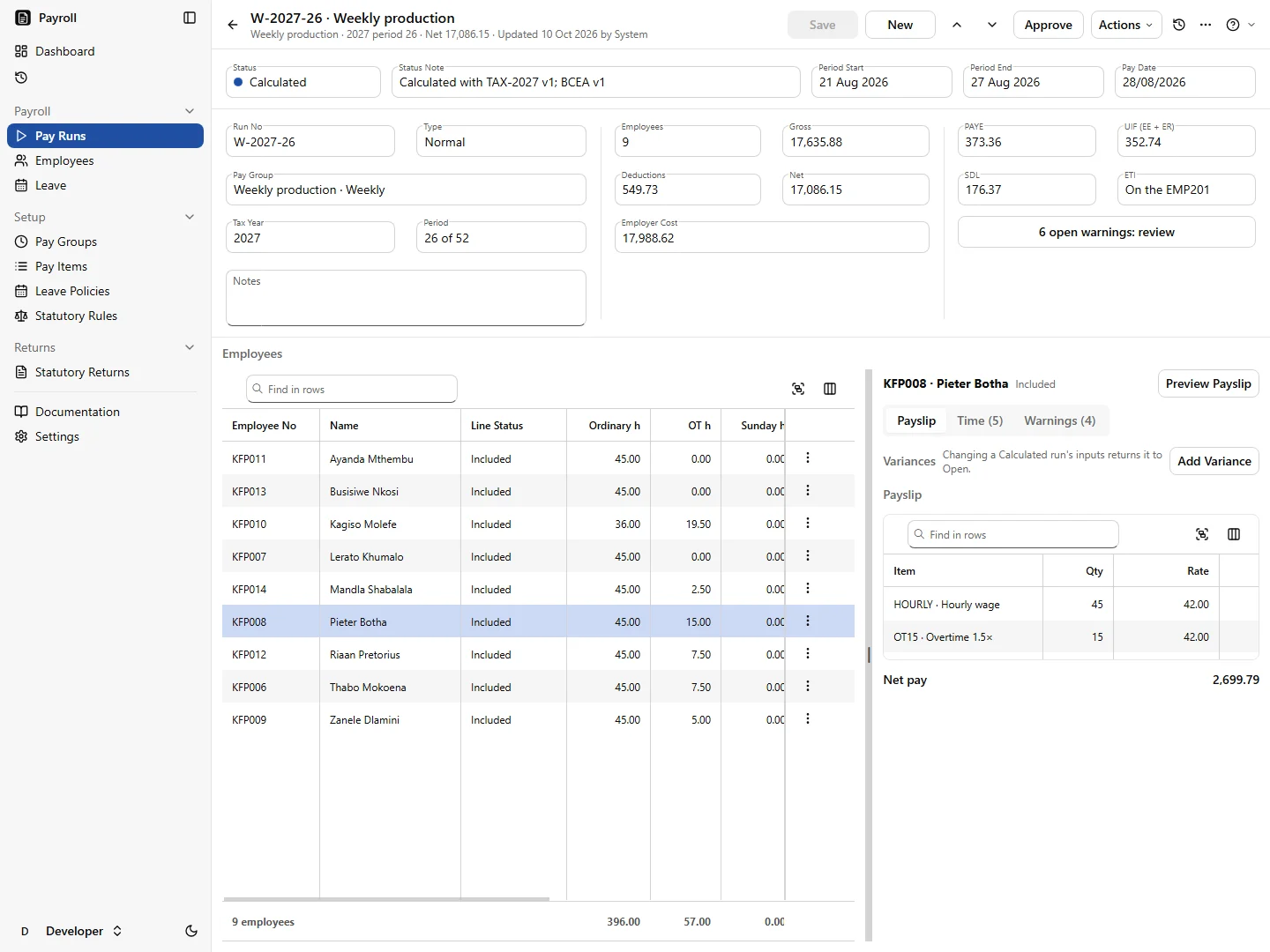
Real screens from Payroll, running a made-up packhouse with staff on weekly, weekend-shift and monthly pay.
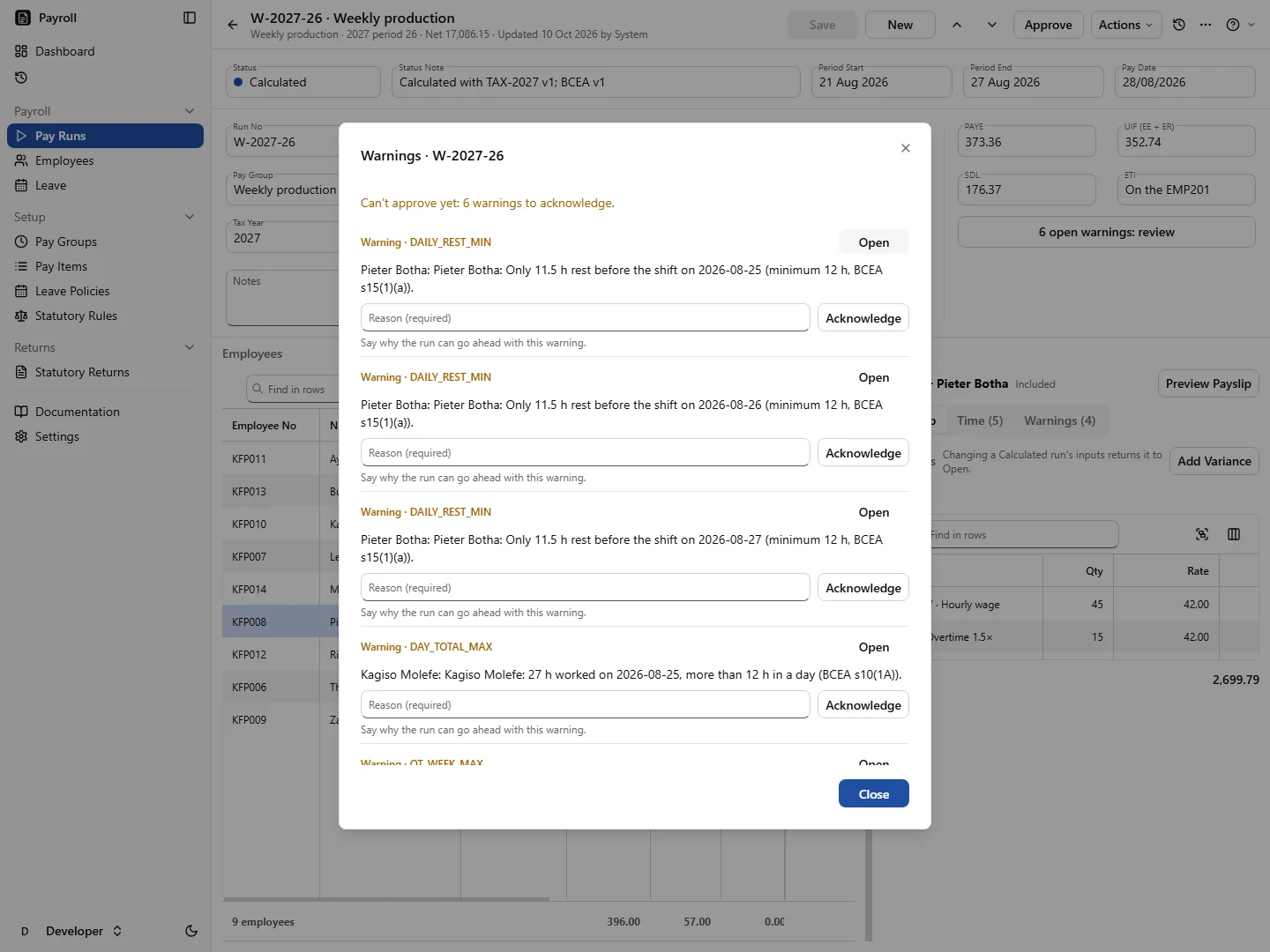
The run won't approve until every warning is dealt with
Here Payroll found that an employee had only 11.5 hours' rest between shifts, under the BCEA's 12. You fix the hours, or acknowledge the warning with a reason that stays on the record.
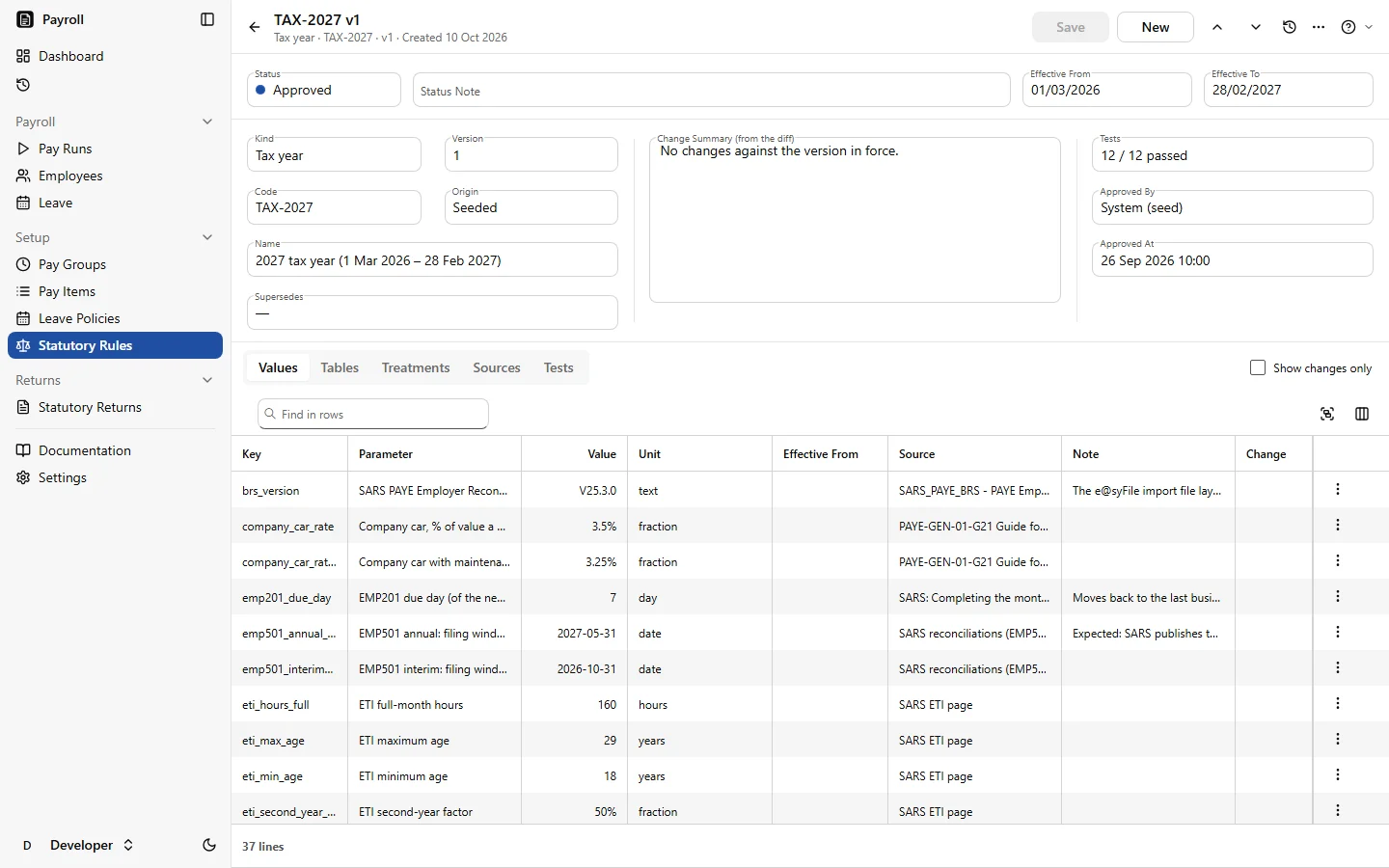
Every rate shows where it came from
The tax year's values each carry their official SARS source, and each rule set is tested against worked examples before it's approved.
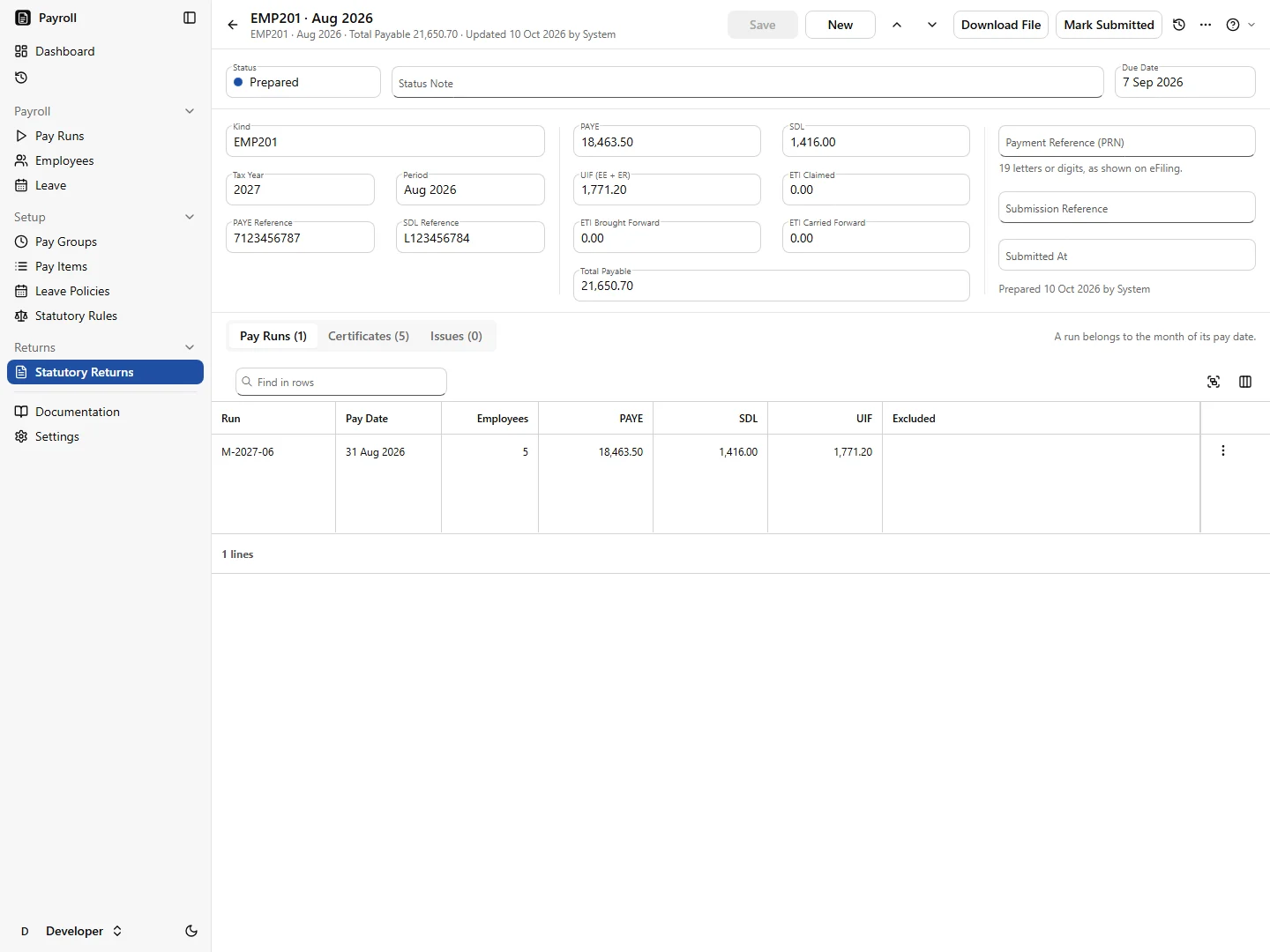
Your EMP201 is ready when the month's runs are
Finalised pay runs feed the month's EMP201, with the due date counted down on the dashboard. At year end the EMP501 builds the IRP5 and IT3(a) certificates and the e@syFile import file.
Everything the payroll administrator needs
From opening a pay run to filing with SARS.
Calculations
- PAYE with year-to-date averaging, bonus tax and directives
- UIF, SDL and the Employment Tax Incentive
- Medical scheme fees tax credits and retirement deductions
- Company car, low-interest loan and other fringe benefits
Staff and leave
- Staff added and updated in your QuickEasy BOS database
- Leave policies checked against BCEA minimums
- Leave accrual, balances and payout on termination
- Loans, garnishee and maintenance orders with running balances
Payslips and payments
- Payslips with every field BCEA section 33 requires, emailed as password-protected PDFs
- Bank files for Absa, FNB, Standard Bank, Nedbank, Capitec, Investec and Netcash
Returns
- EMP201 values each month
- EMP501 with the e@syFile certificate file
- Monthly UIF declaration
Works on its own. Better together.
Payroll runs on its own, and its staff list is the one in your BOS database, so adding another app types nobody in twice. Bank and tax details stay in Payroll.
- Add Time & Attendance: hours arrive reviewed instead of retyped
- Add HR: leave, documents and terminations handled before they reach the pay run
R350 a month
covers your first 10 employees
+ R30 a month for each employee after that
Priced per employee per month, not per payslip, so weekly staff cost the same as monthly staff.
Book a demoWhat you're actually paying for
Not a licence and a box. Systems that keep running, and people who look after them.
Managed for you
Hosting in South Africa, security patches, upgrades, monitoring and helpdesk support, handled by the same engineers who built the apps.
Help on every screen
A Help button on every screen opens that screen's guide. Ask a question in plain words and get an answer from the documentation. Guided tours show new users around.
Support tickets inside the app
Raise a ticket from the screen you're on. No separate portal, no lost email thread.
Built and supported by engineers you can reach
The HR Suite is built and run by Vibe Crafted Software, a focused team of engineers in South Africa. We work directly with the businesses that use it.
See Payroll with your own pay groups
Tell us how many people you pay, how often, and what you use today. We'll show you a pay run that looks like yours.